CV666 casino secure log in

Casino CV666 uses your mobile number as the main account ID, so logging in is usually fast once your phone is bound and your password is set. This guide shows where to find the login button, what the login form looks like, how app login differs from browser login, and what to do if you get stuck on a wrong password, session issues, or a delayed SMS. You will also learn the practical security steps that matter in Bangladesh, like avoiding shared devices, keeping your wallet number consistent, and using the official domains and app.

Why the CV666 login matters

Logging in is not just a formality. In Casino CV666 it unlocks the Personal Center where you manage everything that affects your balance and account safety. After a successful sign in you can check your wallet balance in BDT, open Deposit and Withdrawal screens, review Betting Record, and read Internal Messages about bonuses and events.

This matters in practice because CV666 runs many promotions with rules tied to your account identity. Your mobile number is your login and also the base for bonus eligibility checks. If you keep your account clean and consistent, support can resolve payment and bonus questions faster.

A good habit is to treat login as part of bankroll control. When you can access your history and records, you can see what you deposited, what you wagered, and what you withdrew. That makes it easier to play responsibly and avoid confusion with bonus turnover requirements.

If you want the full platform overview before you sign in, start from the main page of Casino CV666.

Continue to CV666 access page
CV666 login form fields

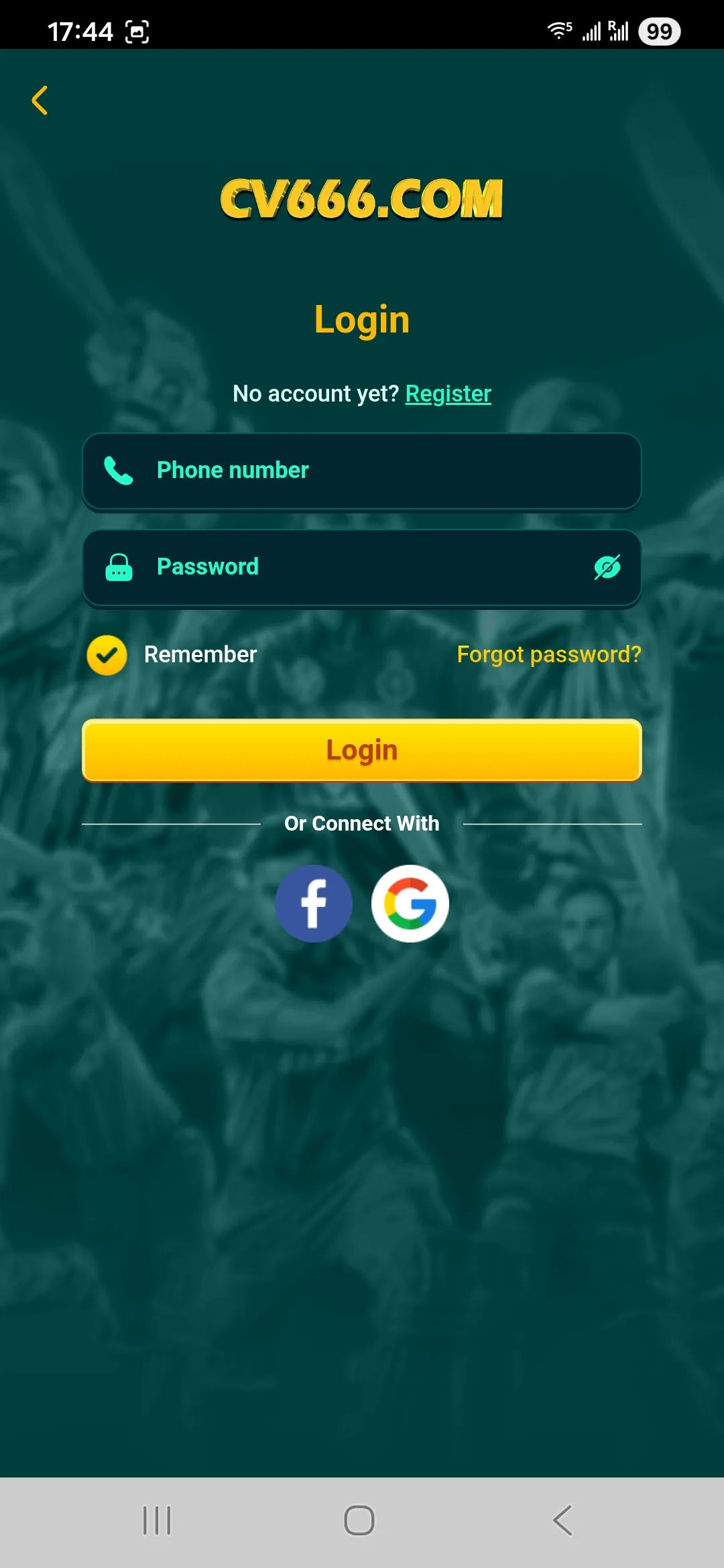
The CV666 login screen asks for phone number and password, with options like Remember and Forgot password.

Where to find the Login button

In the web version, the Login button is usually visible in the top area of the homepage. On mobile browsers it often appears as a compact button in the header. If you open the side menu, you can also reach Login from there.

A practical tip for Bangladesh players: CV666 is known to use a multi domain setup to stay available if one domain is slow or blocked by an ISP. If the page does not load, do not search for random links on social media. Use the official entry flow from your trusted source and then log in.

Web versus mobile browser navigation

On a desktop browser, the login entry is typically obvious and the form is larger. On a phone browser, the same form is used but fields may stack vertically. If your keyboard hides the Login button, scroll a little after entering the password.

If you plan to play often, using the app can reduce friction because sessions usually stay active longer and the interface is optimized for quick access to Deposit, games, and Reward Center.

Log in and open your Personal Center

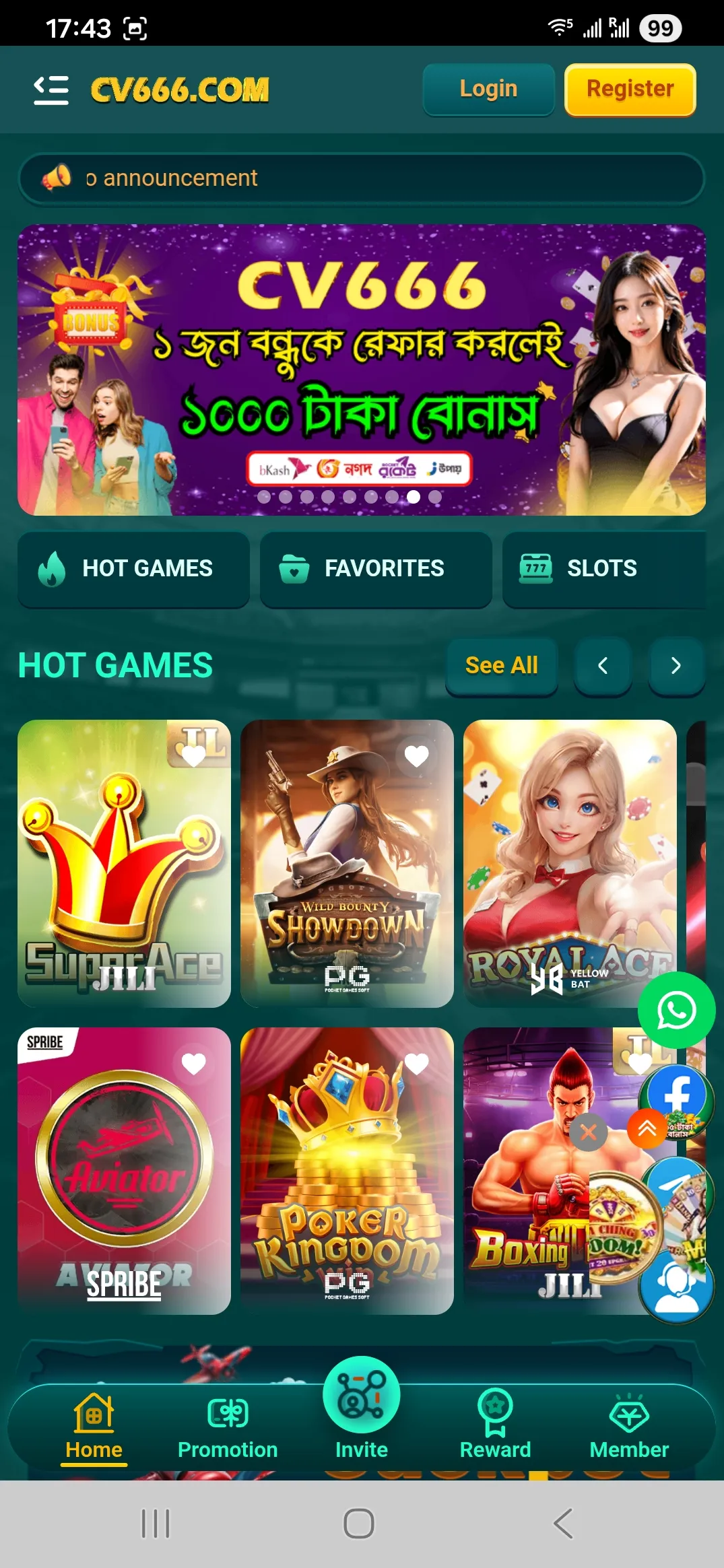
CV666 homepage with login

Login on the website

Best when you play from a laptop or shared computer at home. Use a private browser profile, and avoid saving passwords on public devices. If the domain is slow, try the official alternative domain that CV666 publishes for access continuity.

CV666 app download banner

Login in the mobile app

Best for daily play and fast navigation. The app is built for quick loading on average internet speeds, and it is tied to app specific bonuses like the fixed 18 Tk app download reward in some promo cycles. Keep your app updated if login starts failing after a platform update.

Step by step CV666 login process

The login flow is simple, but many problems come from small input mistakes. CV666 accounts are built around mobile numbers, so always use the same number format you used at registration.

  1. Open the official CV666 entry point and tap Login.
  2. Enter your phone number that is bound to the account.
  3. Enter your password.
  4. If you are on a personal device, you may enable Remember to reduce repeated logins.
  5. Submit and wait for the session to load.

What happens after you sign in

After login you typically land on the main screen or your account area. From there you can open Reward Center, Mission, Invite Friends, and transaction records. This is also where CV666 shows system notices and promo updates through Internal Message.

If you are planning to deposit right away, sign in first. It helps you confirm your profile and avoid sending money to the wrong wallet details. CV666 deposits often rely on a manual confirmation flow, so matching your account and your payment details matters.

Proceed to sign in
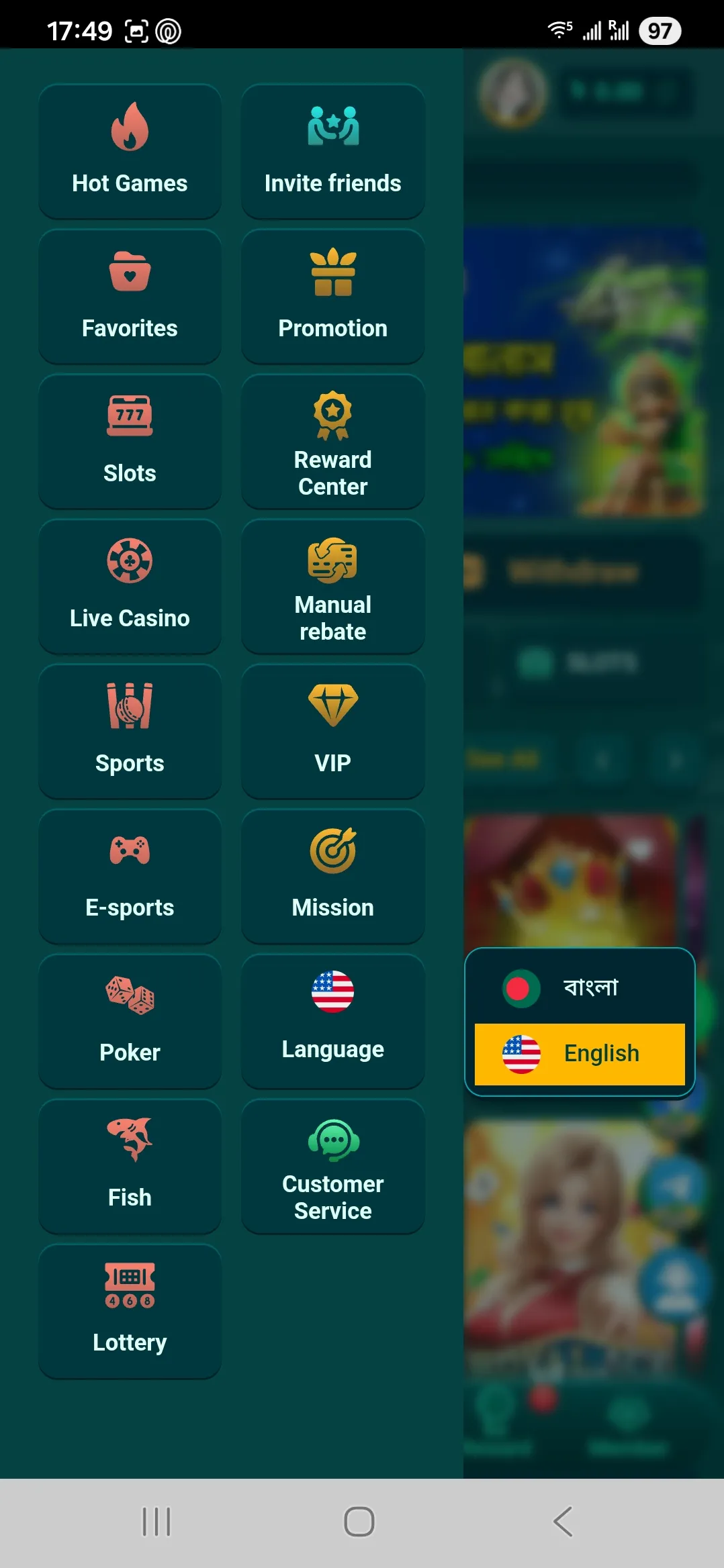
CV666 side menu items

The sidebar menu is a quick way to reach games, Reward Center, support, and account sections after login.

Login form structure and common fields

The CV666 login form is designed for quick access. The core fields are phone number and password. Some screens also show Remember me and a Forgot password link.

Here is what each element means in real use.

Field or option What it does Practical advice
Phone number Your main account identifier Use the same number you registered with. Do not create multiple accounts.
Password Access key for your session Use a unique password and do not reuse your wallet PIN.
Remember Keeps the session longer on the device Use only on a private phone, not on a cyber cafe PC.
Forgot password Starts the recovery flow Prepare access to the phone number before you begin.

Casino CV666 also tracks suspicious activity patterns for fraud prevention. If you frequently switch devices or networks, you may see extra checks or session resets. That is normal account protection behavior, not a punishment.

If you are logging in from a new device, take one minute to review your profile and messages before you deposit.

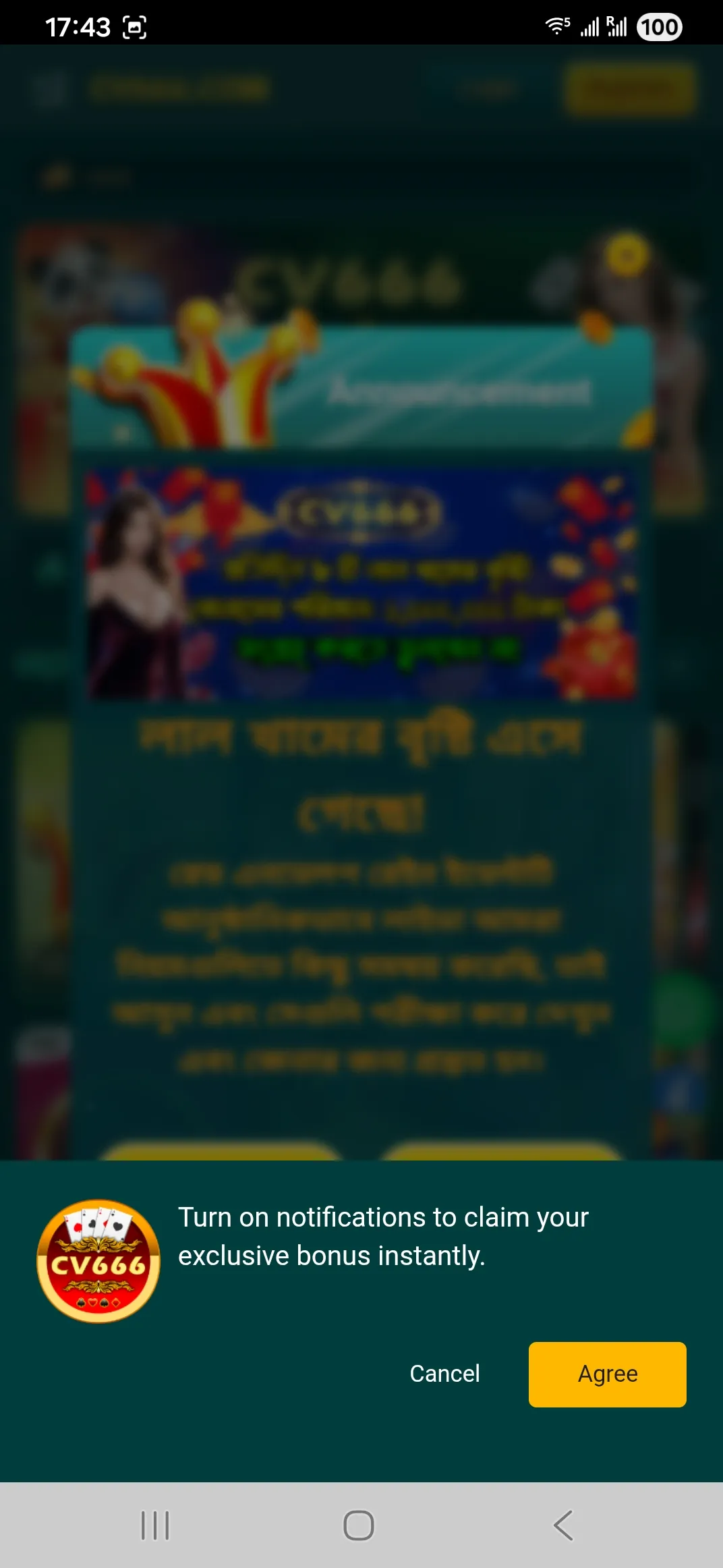
Notification permission prompt

Some bonus flows rely on notifications. Allowing alerts can help you see promo messages and reward updates in time.

App login details that players notice

The app login usually feels smoother because it is built around fast navigation and stored sessions. CV666 also runs app related promotions, including a fixed 18 Tk reward for installing the official app in certain campaigns, often paired with joining the Telegram channel.

The app still follows the same identity rule: one account tied to one phone number. If you reinstall the app or clear storage, you may need to enter credentials again.

Session saving and when you get logged out

Even if Remember is enabled, sessions can end for simple reasons.

  • You cleared browser cookies or the app cache.
  • You updated the app and the security token rotated.
  • The platform forced a sign out after suspicious activity checks.
  • You changed your password, which invalidates old sessions.

If you share a phone with family members, do not use Remember. It is better to log in each time and protect your balance from accidental access.

Switch to app login on the site

Quick troubleshooting for login problems

Most login issues have a practical cause. Use this checklist before you contact support.

Wrong password or incorrect phone number

  • Check that you entered the same phone number used at registration.
  • Verify there are no extra spaces in the password field.
  • If you recently changed your password, try logging out everywhere and sign in again.

Site loads but login does not complete

  • Switch networks from Wi Fi to mobile data or the opposite.
  • Close the app fully and reopen it.
  • If you use a browser, try an incognito window to avoid extension conflicts.

Account locked or verification requested

CV666 enforces anti fraud rules. If the platform detects repeated logins from the same IP for different accounts, or shared payment identities, it may freeze an account or limit bonus access. In this case you may need to confirm identity for dispute resolution or higher value withdrawals.

Support response times

Support is available around the clock, but during peak hours response may take longer. If you need help, prepare your Member ID and a clear description of the issue. That speeds up resolution.

Open support through CV666 access page
Customer service form screen

Support asks for Member ID and issue type, which helps route your request faster.

Security basics for safe authorization

Casino CV666 promotes security through SSL encrypted connections, monitoring of suspicious behavior, and account level checks linked to phone and payment details. For players, the biggest security gains come from simple habits.

  • Use a unique password and change it if you shared it before.
  • Avoid logging in on public computers where passwords may be saved.
  • Do not share one account with friends. CV666 bonus rules often allow one bonus per user, device, and payment method.
  • Keep your wallet number consistent for deposits and withdrawals. It reduces the chance of failed reconciliation.
  • Treat Telegram promo codes carefully. Only use codes from official channels and never give anyone your password.

If you plan to withdraw larger amounts or claim high tier birthday rewards, be ready for identity checks using an ID card, passport, or driver license. This is common in platforms that enforce fraud prevention and dispute handling policies.

CV666 accounts are tied to a phone number and monitored for suspicious logins, which helps reduce account takeover risks.

Avoid multiple accounts and shared payment identities. Anti fraud rules can lead to bonus cancellation or account limits.

Login and payments: why the sequence matters

Many players log in only when they want to deposit. That is fine, but you should understand the deposit model first. CV666 commonly uses a two step manual recharge flow. You transfer money to a company wallet using bKash, Nagad, Rocket, or a bank card route, then you submit the recharge request with the exact transaction ID.

If you are not logged in, you cannot reliably confirm which account should receive the credit. If you mistype the transaction reference, your deposit can fail and you may need to contact support.

Below is a simple reference table for the common payment methods in Bangladesh. The icons match the platform style.

Method Typical use Notes for login and account safety
bKash Fast local wallet transfers Keep the same wallet number. Save the correct Trx ID format.
Nagad Popular mobile banking option Double check the reference code before submission.
Rocket Alternative wallet for local transfers Rocket IDs are often numeric, enter all digits carefully.
Mastercard Card based deposits Use only on your own device and avoid public networks.

For smooth withdrawals, keep your login stable and avoid constant device switching right before cashing out. It reduces the chance of extra verification prompts.

Ready to use your balance after login. Open CV666, check your records, then deposit using your preferred local wallet method.

FAQ about CV666 login

Can I log in to Casino CV666 with email instead of a phone number

In CV666 the account identity is built around your mobile number. Use the same number you used during registration. If you change your number, contact support before you deposit or withdraw.

Why does CV666 ask me to log in again after an update

Updates can reset stored session tokens. This is common for security. Close the app, reopen it, and log in again using your phone number and password.

I forgot my password. What should I do

Use the Forgot password option on the login screen. Make sure you have access to the phone number linked to the account so you can complete recovery steps.

The login page loads but the button does nothing

First switch networks, then try an incognito browser window. In the app, fully close it and reopen. If the issue persists, support can check if there is a temporary system delay.

Is it safe to enable Remember me

It is safe on a private phone with a lock screen. Do not use it on shared devices. Anyone with access to the device can access your balance.

Can I use one account on multiple devices

You can, but frequent device changes can trigger security checks. For a smoother experience, keep one main device for deposits and withdrawals.

Why did my account get limited after creating another profile

CV666 enforces anti fraud rules and often limits bonuses to one user, IP, device, and payment identity. Multiple accounts can lead to bonus cancellation or account restrictions.

How do I log out safely

Use the Log out option in the account menu. On shared devices, also clear cookies or app cache. This prevents your session from being reused by someone else.

Does logging in affect withdrawals

Indirectly yes. Stable login behavior and consistent payment details reduce extra checks. For high value withdrawals or specific bonuses, identity verification may be requested.

Where can I find my records after I log in

Open Personal Center and use sections like Betting Record, Account Record, and Internal Message. These screens help you confirm deposits, bets, and bonus updates.

A clean login is the start of smooth deposits, clear records, and faster support. Use the official entry point and keep your account details consistent.